

This reads like quite a different workflow, but AFAIK the standard in both x and wayland for inserting special characters is using a compose key. You can set up a key as the compose key in the keyboard settings of any de/wm/compositor (right alt in my case) and use it in a key sequence to assemble special characters. I use it all the time to type italian accent characters on a us keyboard and it’s always dependable and quite intuitive even for characters I don’t regularly use.
Some examples:
composea"→äcomposee'→écomposec,→çcomposeoo→°compose-→→
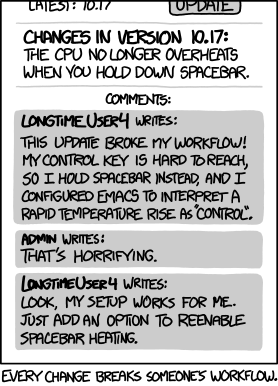
I’m not saying your use case is invalid, but it falls well into unsupported territory I feel like, and reminds me of this.
This said, there must be a way for an application to simulate input, that’s what virtual keyboards do, including steam’s virtual keyboard which is not integrated in the desktop environment, so your workflow can likely be replicated. You might need to spend some time finding the right tool for it, or possibly creating your own, but wayland and plasma wayland in particular have all the bits in place to make this happen.




It’s a simple game that runs well at launch and doesn’t have scummy micro transactions or live service. It might just be my opinion, but while the game is enjoyable, there’s nothing special about the story itself to justify making it into a series. I mean they can if they want to, but it’s more the technical formula that works and they need to repeat, rather than the story concept itself.